
Change how long each photo shows
Your LuvLink Digital Photo Frame plays your photos as a slideshow, and you can decide how long each one stays on screen before the next appears. Set it to whatever feels right for your space — longer for a relaxed pace, shorter for faster transitions.
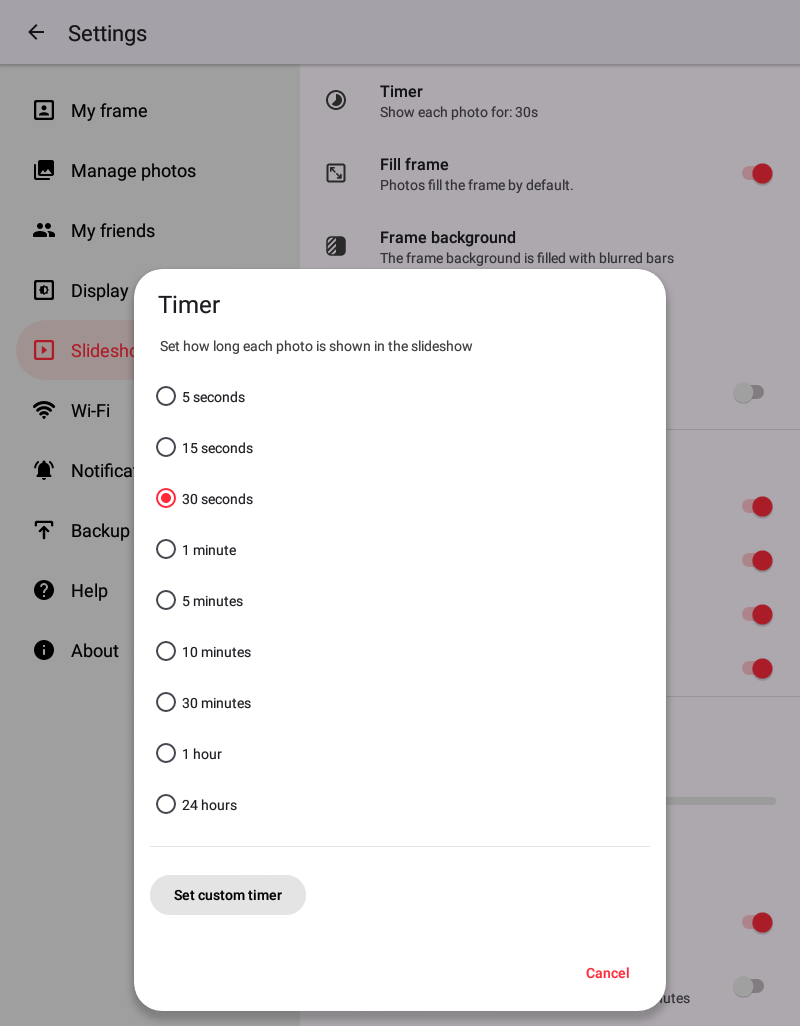
How to change the photo duration
- Open Settings on your Digital Photo Frame.
- Find the slideshow or display options.
- Locate the setting that controls how long each photo shows.
- Set the duration to your preference — a longer interval for a relaxed atmosphere, or a shorter one for faster transitions.
That's it. Your slideshow will now hold each photo for the time you chose.
Still stuck? Contact us and we'll help.
Related articles
Was this useful?