
How to Connect a Phone to a Frame
Connecting your phone to a LuvLink Digital Photo Frame takes just two things: the free Frameo app, and a friend code from whoever owns the frame. Once you're linked, you can send photos and videos to the frame any time you like.
Download the Frameo app
First, get the Frameo app onto your phone or tablet.
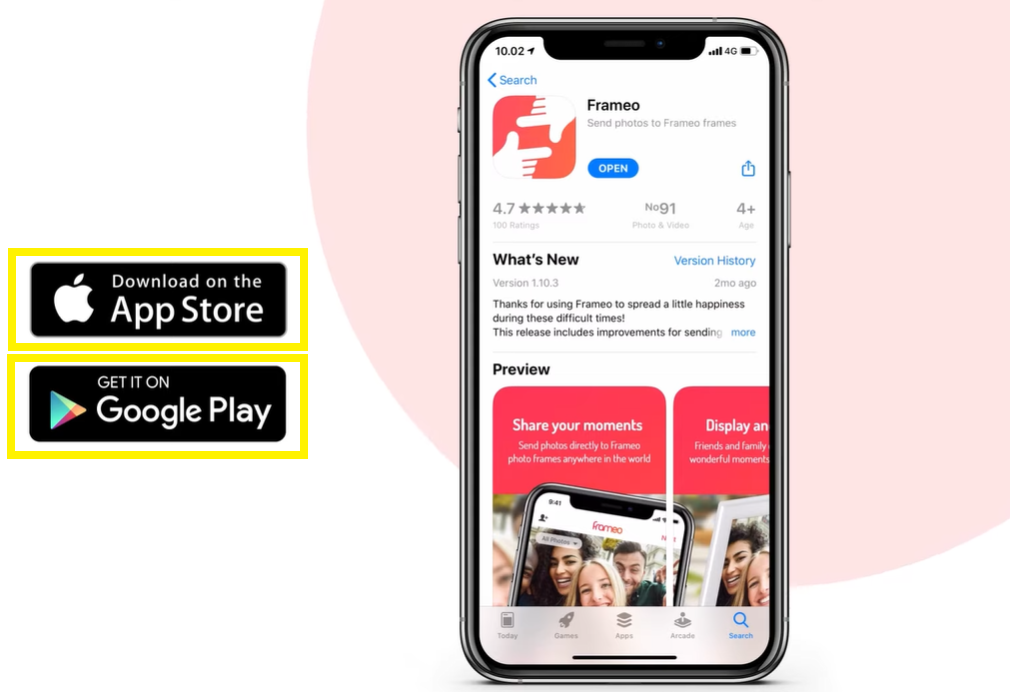
- iPhone or iPad: search for Frameo in the App Store
- Android: search for Frameo in Google Play
Connect your phone to the frame
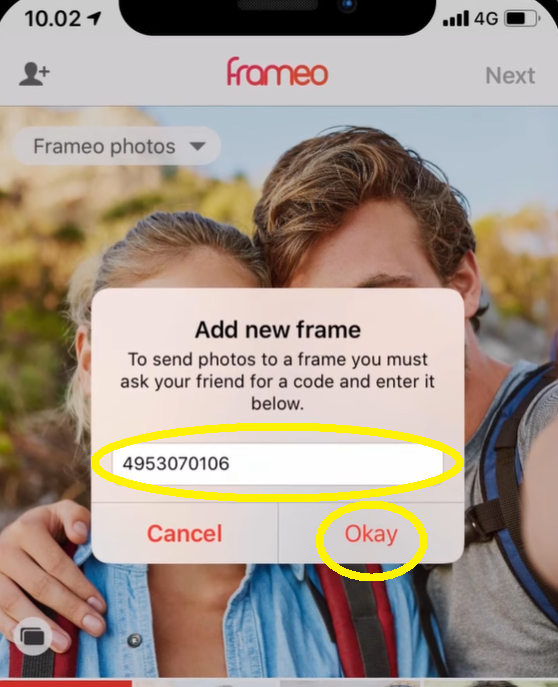
- Ask the owner of the Digital Photo Frame to send you a unique friend code.
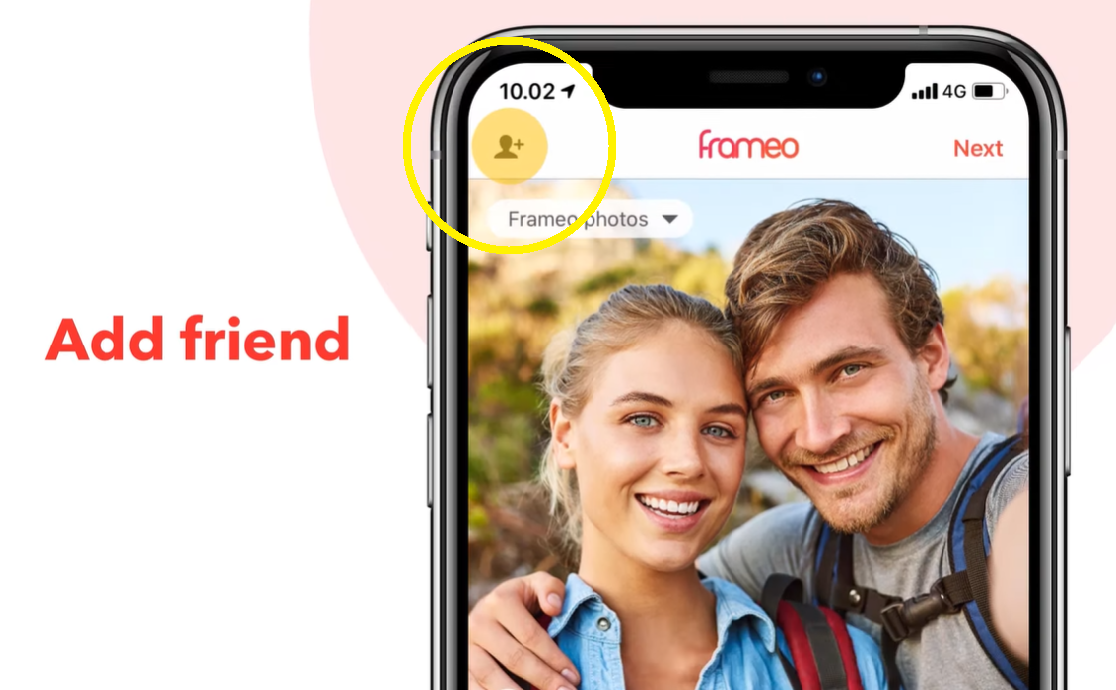
- Open the Frameo app on your device and tap the Add friend icon at the top of the screen.
- Enter the friend code and tap Okay.
Your phone is now permanently linked to the frame. You can send photos and videos any time you like.
Good to know
Friend codes expire after 12 hours. If the code you were given has stopped working, just ask the frame owner to generate a fresh one.
Still stuck? Contact us and we'll help.
Was this useful?