
Create a Secret Color Code
Turn colours into your own secret language. With colour codes in the LuvLink app, you and your group can agree on what each colour means — so a single touch says exactly what you want, without a word. Here's how to set one up and send one.
When you touch your lamp, every lamp in your group lights up in that colour. Assign each colour a meaning, and anyone who knows the code understands your message instantly — a wordless way to say you miss someone, or to suggest doing something together, from anywhere in the world.
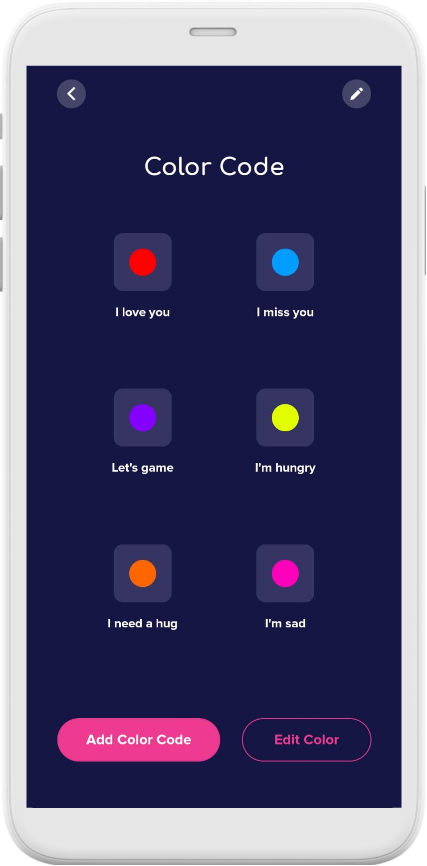
Some colour code ideas
- Blue: "I miss you.... call me!"
- Red: "I love you!"
- Purple: "Let's game!"
- Yellow: "I'm hungry... let's eat!"
- Orange: "I need a hug."

Send a colour coded message straight from your dashboard
- On your dashboard, access the colour wheel beside the Send Touch to Everyone button.

- Tap the toggle to enable the colour code feature.

- Select a colour coded message, then press Save.

- Go back to your dashboard and hit Send Touch to Everyone to send your colour coded message.
View your saved colour codes — or add new ones
You can see all your colour codes in the lamp's settings, where you can also create new ones or edit existing ones.
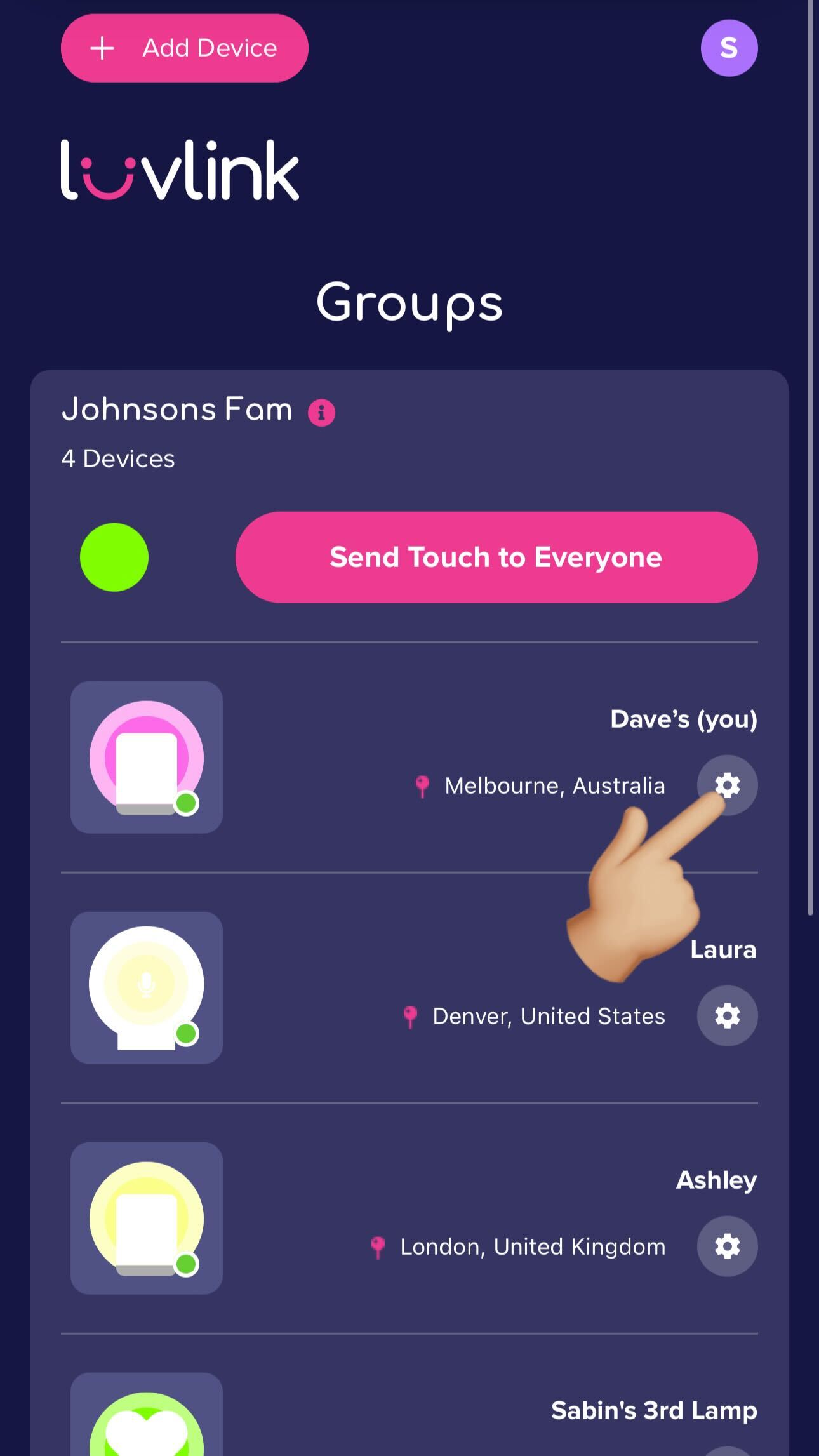
- In the LuvLink app, tap the settings cog on your Friendship Lamp.
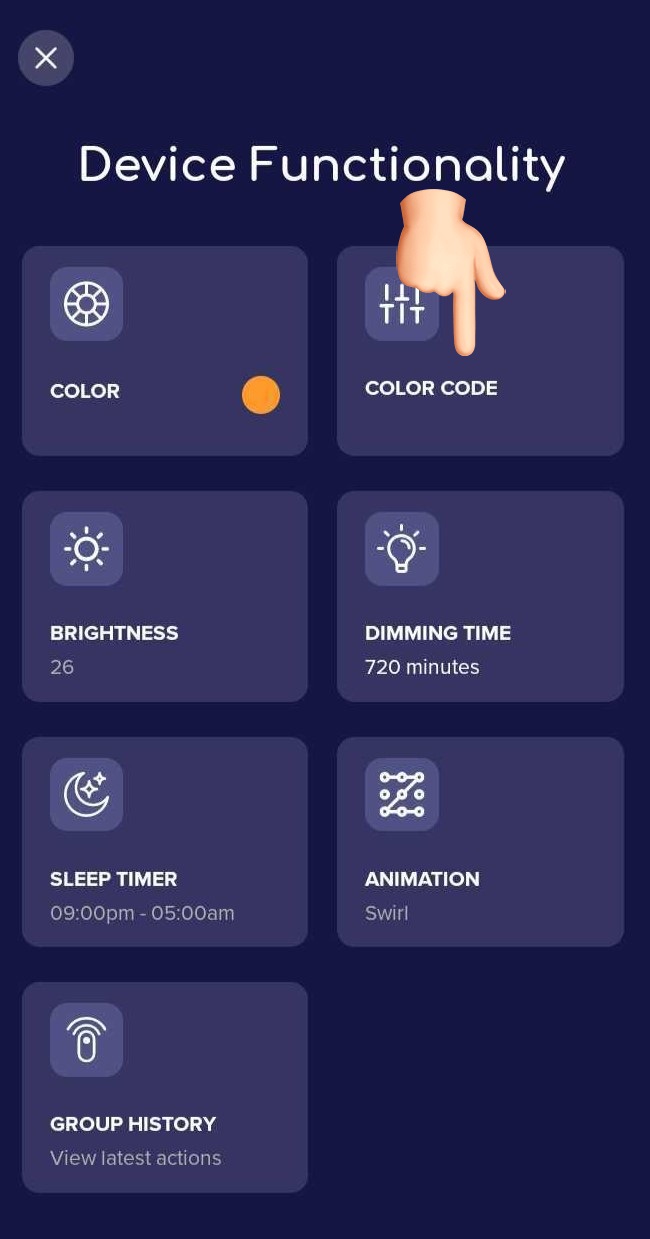
- Tap Color Code.
- Choose either Add a Color Code or Edit Color, make your changes, then press Save.
Colours not syncing?
If the colours in the app and on your lamp don't match up, update your lamp's firmware: go to Settings > Firmware > Update Firmware.
If it still won't sync, contact our support team and we'll help.